⚖️ Webinar | An AI transformation compliant with the AI Act · Tuesday 17/11 at 9:15 AM · Register now →

[AI Training by Tool]

AI training on the tools your teams use

ChatGPT, Copilot, Claude, Gemini or Le Chat: each tool has its functionalities and uses. Our training courses take place in the tool deployed at your premises, with exercises built on your own documents.
Training on the main AI tools on the market
Exercises performed in the tool deployed at your premises
Trainers who use these tools every day
Two people with their backs to the camera are looking at a laptop displaying a conversation with an AI assistant
They trained their teams with Galadrim
[The Tools]

The tools on which we train your teams

Here are three examples of exercises for each tool, among many other possible uses. During the framing stage, we replace them with tasks drawn from your files.
01

Claude

Organise a project with its reference documents
Delegate a multi-step task to Cowork
Write a skill for a recurring task
And many other uses
  • Projects
  • Cowork
  • Skills
02

Claude Code

Delegating a feature to a code agent
Writing and completing tests
Write your own skills
And many other uses
  • Code agent
  • Developers
  • Skills
03

ChatGPT

Write a document from a brief
Analyse an Excel file or a PDF
Create a GPT for a recurring task
And many other uses
  • Customised GPTs
  • Projects
  • File analysis
04

Gemini

Draft and reply in Gmail and Docs
Analyse data in Sheets
Create a Gem for a recurring task
And many other uses
  • Gmail
  • Docs and Sheets
  • Gems
05

Microsoft Copilot

Summarise a Teams meeting and its actions
Analyse a table in Excel
Prepare a presentation from a Word document
And many other uses
  • Word and Excel
  • Outlook
  • Teams
06

Cursor

Code with editor suggestions
Modify multiple files with the agent
Query existing code
And many other uses
  • Code editor
  • Developers
  • Agent
07

Le Chat de Mistral

Draft, summarise and translate documents
Conduct a documented web search
Create an agent for a recurring task
And many other uses
  • French Editor
  • Agents
  • Web search
08

NotebookLM

Query a set of documents
Obtain answers accompanied by their sources
Produce a written or audio summary
And many other uses
  • Cited sources
  • Summaries
  • Audio summaries
09

n8n, Make and Zapier

Connect your software together
Automate a repetitive task end-to-end
Add an AI step to a workflow
And many other uses
  • Workflows
  • Connectors
  • Automation
10

And other tools

We also train on software specific to a profession: GitHub Copilot, Figma, Lovable, Midjourney, Adobe Firefly...
Is your tool missing from this list? Write to us using the form at the bottom of the page. We'll look into it with you to see what we can do.
  • Developers
  • Designers
  • Upon request
[Our Approach]

What your teams learn about each tool

All our training courses share the same foundations. The programme then adapts to the tool deployed at your premises.
Features
ProjectsConnectorsFiles

Features

Your teams discover everything the tool can do beyond conversation: projects, connectors, file analysis and automations. Each person leaves with the functions useful for their role.
Good practices
Formulate a requestProvide contextVerify

Good practices

Formulating a request, providing the right context, checking a response: these reflexes apply to all tools. Each participant practises them on their own files.
Settings and privacy
Admin settingsSensitive dataRGPD

Settings and privacy

We check with you that your account settings protect your data. The training then shows your teams what they can entrust to the tool.
Choosing the tool
Your usageYour softwareLicences

Choosing the tool

Are you just starting with AI? We compare tools with you, based on your usage and existing software: Copilot in a Microsoft 365 environment, Gemini with Google Workspace. We then help you choose licences suitable for professional use.
[Client Cases]

They trained their teams on their AI tools with Galadrim

Training courses conducted on Claude, Claude Code and the main assistants on the market.
Wine trading
Maison Sichel

Train the teams of a Bordeaux wine merchant, then map its use cases department by department

Maison Sichel is a Bordeaux-based wine merchant that sells over 800 wine references worldwide. Galadrim came to Bordeaux to train its teams in Claude, in business-specific groups, so that everyone could become autonomous in their own tasks.
On the agenda: getting started with Claude and the right reflexes for formulating a request, exercises on the real cases of each team, then Cowork, the first business skills and a usage charter. Seven interviews, one per department, then identified the tasks where AI saves time.
34employees trained
2days on-site in Bordeaux
7interviews, one per department
Maison Sichel Logo
Software publisher
Open Informatique

Train a team of developers in the daily use of a code agent

Open Informatique develops bespoke management software using WinDev, the development environment from French publisher PC Soft. Galadrim has built a three-session training course for its developers to use code agents daily.
On the agenda: how a Large Language Model works, the installation and management of Claude Code, then writing their own skills, with exercises on code repositories designed for the team.
10/10of satisfaction
3sessions
11hof training
Open Informatique Logo
Rail transport
SNCF

To train an entire strategy department in generative AI, from the basics to business applications

As the leading French railway operator, SNCF wanted to train its entire strategy department in generative AI, from the basics to advanced applications. Galadrim designed a comprehensive programme for them, intended to make everyone autonomous in their use of the tools.
On the agenda: the operation of Large Language Models, getting to grips with the main tools on the market, then building prompts and workflows tailored to the group's strategic challenges. Each session concluded with a workshop on a real-life case from the department, with personalised feedback.
26employees trained
12developed use cases
92 %use AI daily 3 months later
SNCF Logo
[Formats and Durations]

A format for each objective

  • 1 to 3 days
    Business or technical teams

    Bespoke training

    Exercises built on your files, using the tool deployed at your company. The training takes place intensively or over four sessions spread across six to eight weeks. After the training, follow-up support accompanies everyone in their use of the tool.
  • Half-day
    Executive Committee and Steering Committee

    Executive Workshop

    A working session reserved for management, to define the role of AI in your strategy and select the first projects.
  • 1 to 2 hours
    The entire company

    AI Conference

    A session for all your employees, to present the tool you are deploying and its initial uses.
  • 1 day
    Mixed teams

    AI Hackathon

    Mixed teams imagine and prototype AI uses on topics relevant to your company, using the tools you have available.
  • Ambassador employees

    Training for AI Referents

    Volunteer employees delve deeper into the tool, then support their colleagues on a daily basis.
  • 1 to 6 sessions
    Students

    Courses in schools

    Courses that prepare students for the AI uses they will encounter in a business environment.
01/06
[Our Trainers]

Trainers who use these tools every day

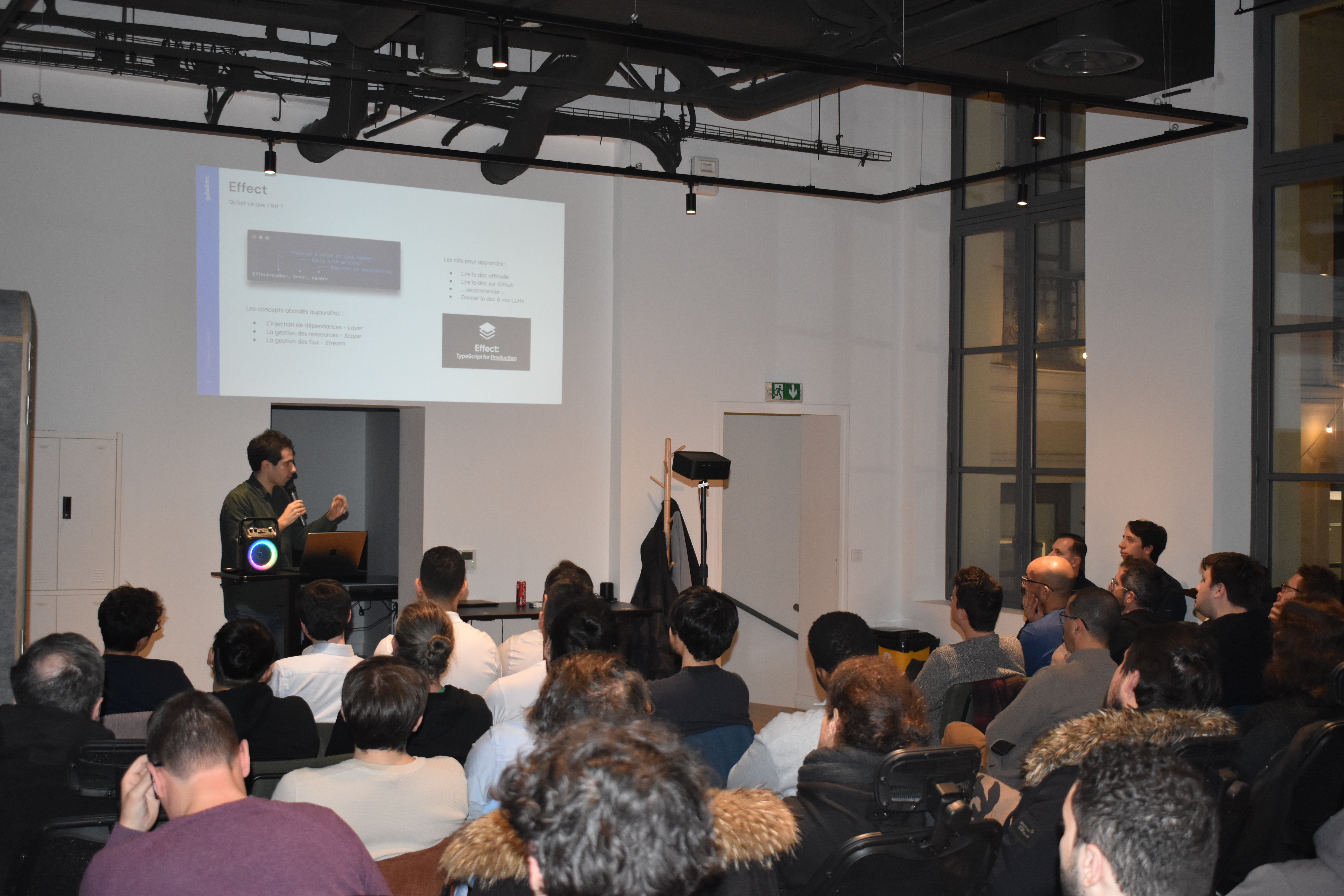
Our trainers are part of Galadrim, where they design AI tools and agents for our clients. They work daily with the assistants and code agents they teach.
Several people working on their computers in an open-plan office
150+AI solutions deployed with our clients

800+clients supported
180+expert collaborators
40+AI engineers from Polytechnique, Centrale or ENS
[By role and by sector]

Exercises tailored to your teams' roles and sector

The same tool serves very different tasks depending on the role: a lawyer reviews a contract, a salesperson prepares for an appointment. Each training course therefore covers the tasks specific to your employees' roles and the rules of your sector. Our training courses cover 12 roles and 24 sectors of activity.
A young woman working intently at a desk, with laptops in the foreground

Receive a programme built for your tools

Receive my programme
[FAQ]

Your questions about training by tool

Yes. During the scoping phase, we look at your usage, your software and your privacy rules. We then help you choose licences suitable for professional use.
The right reflexes are common to all assistants: formulating a request, providing the context, checking the response. We cover them together, then each group practises with their own tool.
Yes. We also provide training on tools specific to a particular role, such as Figma and its AI features for designers or GitHub Copilot for developers. For a more specific tool, we build the exercises based on the cases you provide us with during the scoping phase.
The training imparts methods that remain valid from one version to another: formulating a request, breaking down a task, checking a result. After the training, a one-month follow-up and a discussion channel will answer your teams' questions.
We check your account settings with you before the first session. On a Claude Team account, for example, we ensure that the admin settings properly protect your data. The training also explains to your teams what they can entrust to an AI tool.
These practices show that your teams are keen to progress. We first help you choose tools suitable for professional use and verify their configuration. The training then shows everyone what they can entrust to an AI tool and what must remain internal. We also help those who were experimenting alone to share their practices with their colleagues.
Yes, if you wish, drafting your charter can be part of the programme. For example, it sets out the authorised tools and the information your teams can entrust to them.
Training on code agents, such as Claude Code or Cursor, requires coding knowledge. Other training courses are open to all profiles, regardless of their AI proficiency level.
Depending on your company size and your skills operator, all or part of the training may be covered. We help you prepare the application from the initial scoping.
The price depends on the number of participants, the tools to be covered, and the chosen format. Tell us who you wish to train: you will receive a detailed quote within 24 working hours.
[Contact us]

Let's discuss your teams' training

Tell us which tools your teams use and how many people are involved. A trainer will call you back to build the programme with you.

Over 800 companies have trusted us to create their web, mobile, and AI products

Your enquiry

We'll get back to you within 1 hour.